A media library that plays anything you point it at
Surfex streams torrents into a real mpv window — HEVC, AV1, DTS, half-downloaded MKVs, all of it. The BitTorrent engine runs inside the app, the library never leaves your device, and it ships with nowhere to search until you say so.
Free forever · No account · No telemetry
Most torrent players are a video tag in a trench coat
The codec support shows. Surfex embeds the real thing and keeps the library around it honest and local.
A real mpv window, not a video tag
On Linux and Windows the Rust side parents an actual mpv window into the page and keeps it glued to a box in the layout. mpv carries its own ffmpeg, so HEVC, AV1, 10-bit, E-AC-3, DTS and half-downloaded MKVs play with no codec packs.
The engine is in the app
librqbit runs in-process — a full downloads page with file pickers, seeding, speed limits and a disk budget, rather than a hidden cache you cannot see or control.
Playback starts on the first bytes
You are watching while it downloads. A title already on disk replays with no metadata lookup, no source search and no peers at all.
One player, three backends
Where mpv cannot be embedded, ExoPlayer or the webview answers the same command protocol — so there is one player component and one set of controls, not three.
Your library stays yours
History, progress, favourites and the watchlist live in this device's storage. No Surfex account, no Surfex server, no sync — and one backup file carries the lot to another machine.
Usable from the sofa
Full d-pad navigation, a focus style anywhere there is a hover style, and an Android TV build. A remote reaches everything a mouse does.
Everything about the picture, in one place
The native mpv surface paints above the webview, so the controls cannot simply be stacked over it. Every overlay measures its own rectangle each frame and the Rust side subtracts it from mpv's window — the page shows through the holes, clicks included, while the video window itself never resizes.
- Seek-preview frames pulled with ffmpeg and cached, warmed only while the control bar is up
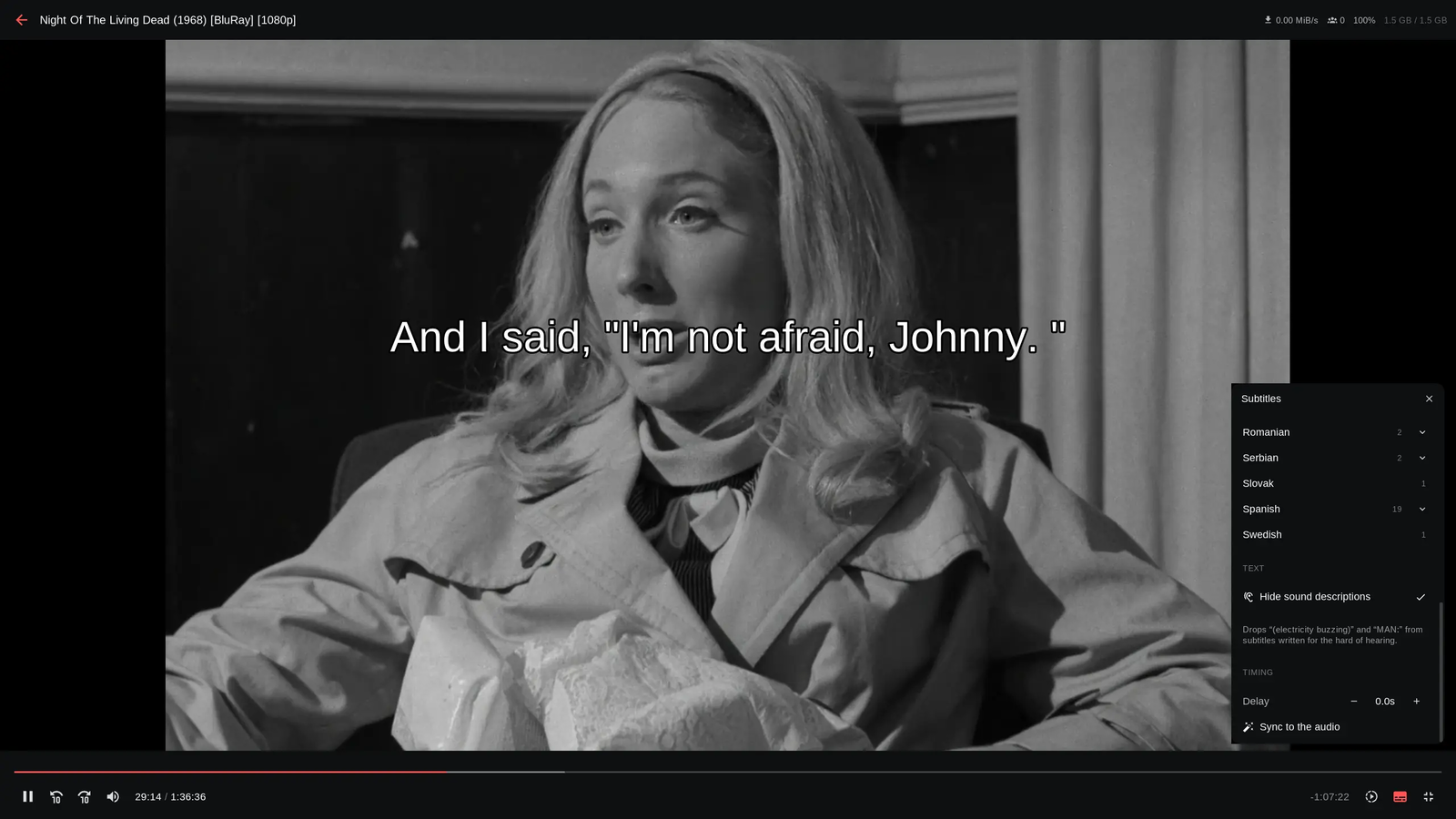
- The file's own audio and subtitle tracks, the release's subtitle files and OpenSubtitles in one menu
- Subtitle font, size, colour, outline and position — applied to mpv and to page-drawn cues alike
- Auto-sync slides a mismatched subtitle onto the audio's silence map and reports its confidence
- Progress recorded per episode, picked back up from the card or the detail page
A torrent client that happens to have a library on top
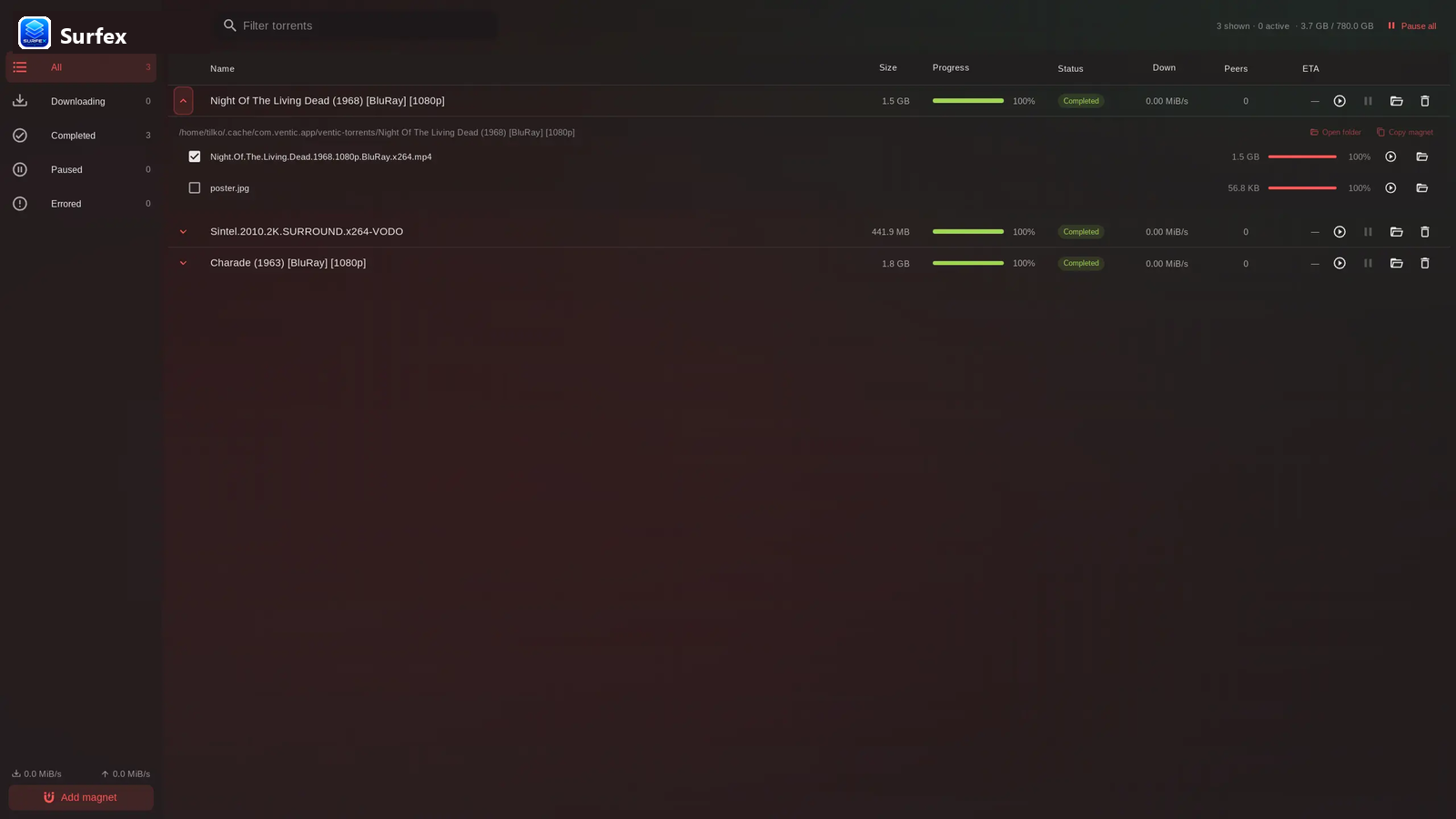
Paste a magnet and it plays. The downloads page is the engine's own UI, so nothing is hidden behind a "cache" setting — and with no sources configured, that is a complete BitTorrent client on its own.
- Magnets, .torrent files, or a release picked from a source you added
- Pick what to fetch inside a torrent — a season pack downloads the one episode
- Seeding on by default, with upload and download limits
- A disk budget that evicts oldest-watched first and never touches what is playing
- Wi-Fi only pauses background torrents on a metered connection and restarts exactly those
- On Android a foreground service keeps downloading when you switch apps
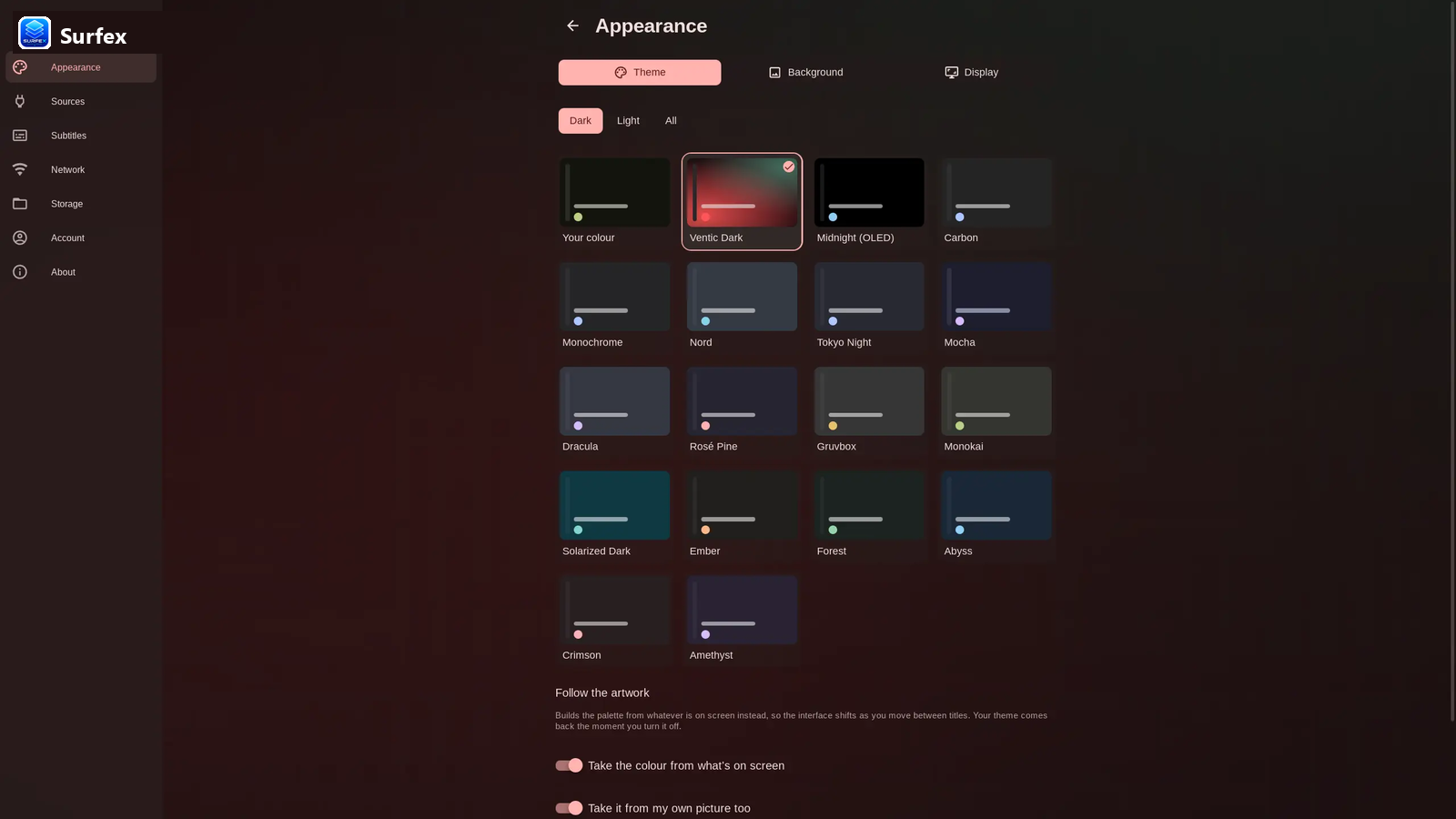
26 themes, or one built from a colour you pick
Pick a colour off the spectrum slider and every role from primary-container to on-tertiary-fixed-variant is derived with Google's own generator — the engine behind Material Theme Builder. Every foreground and background pair's contrast is asserted by a check script rather than eyeballed.
- Surfex Dark, Midnight (OLED), Nord, Tokyo Night, Mocha, Dracula, Gruvbox, Solarized and more
- A theme is a preset: it can carry the background it was drawn for, with its own blur and tint
- Poster art behind the app, a picture of your own, or nothing at all
- App scale, poster size, a performance switch for televisions, and a global CSS box
Eight rooms, and TMDB metadata through all of them
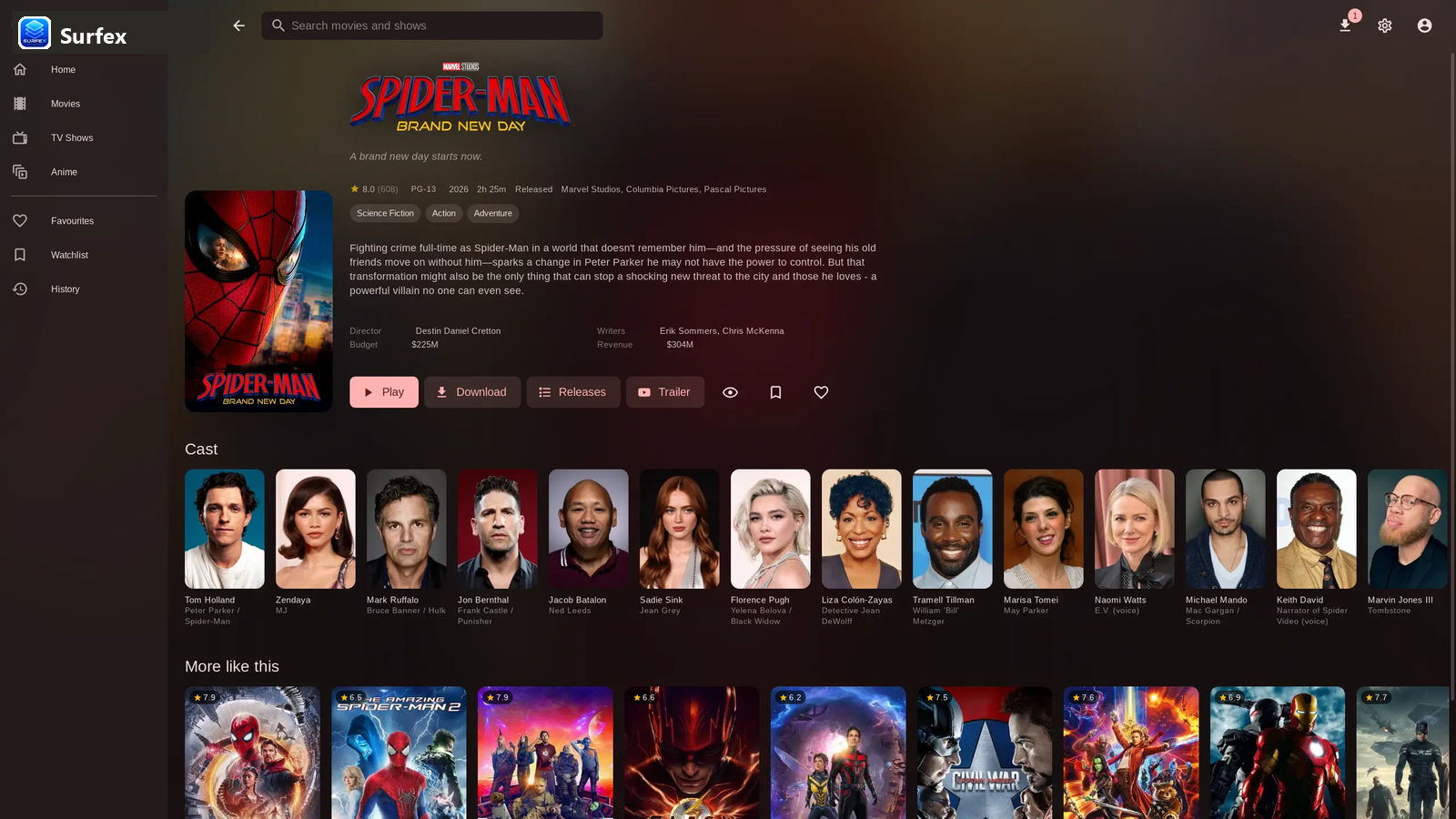
Posters, backdrops, cast, ratings, per-episode watched state and resume points — with favourites, a watchlist and history kept on the device.
Continue watching, trending today, popular, top rated, in cinemas
Browse rows in a grid or a list, remembered per session
One box across TMDB; a result carries straight through to a source search
The local list, on the device, uncapped
What you mean to get to, kept next to the rest
What you watched and where you stopped, per episode
Backdrop, synopsis, cast, trailer, seasons and per-episode state
Appearance, sources, subtitles, network, storage, account, about
The right player for the screen it is on
Ranking asks the device rather than guessing: a release name is read for the codecs it claims and each is put to the device's own decoder list, so a TV keeps the Dolby copy it can play and a phone that cannot is steered off it — never at the cost of a quality tier.
When something still fails, the error names the likely cause instead of showing a black rectangle.
It ships with nowhere to look
Surfex hosts no content and indexes no content. It searches nothing on its own and will not suggest anywhere to look. A source is a URL you add.
The whole integration
A source is a server that speaks the Stremio addon protocol. Surfex runs no code from one — it reads the JSON, ranks the results and hands the one you pick to its own engine.
GET  {source}/stream/movie/{imdbId}.json
GET  {source}/stream/series/{imdbId}:{s}:{e}.json
→    { "streams": [ { "infoHash": "…", "title": "…" } ] }
Add several and their results merge, duplicates dropped. A stream that names a URL instead of an info hash — what a debrid addon answers with — is played directly, with no swarm joined and nothing written to disk.
A link can never change what it searches
Surfex registers the surfex:// scheme so an addon page can offer a one-click install. The app shows the URL in full and asks before adding it — always.
Nothing phones home
No analytics or telemetry
Nothing phones home. There is no build flag to turn back on.
No account and no server
There is nothing to sign into, and watch state never leaves the device.
Credentials stay on device
A debrid key lives inside the source URL you added, and backup files leave credential-bearing keys out.
You decide what it searches
With no sources configured, the app queries no one for releases at all.
Besides the sources you add and the peers your torrents connect to, Surfex reaches:
Posters, backdrops, synopses, cast and ratings, and the title → IMDb ID lookup
The OpenSubtitles list, and fallback metadata
A title's trailer, on the no-cookie domain
One unauthenticated request at startup asking whether a newer release exists
The questions that keep coming up
No. Surfex hosts no media, indexes no torrents, runs no scrapers, and ships with nowhere to search. It is a local player and media library manager that only plays torrents, magnets, or source addons that you explicitly provide.
Because bundling sources would make Surfex responsible for indexing third-party servers and cataloging content. By shipping completely clean with no default sources, Surfex remains 100% legal, open source, and agnostic to what you choose to stream.
No. You can paste magnet links or drop .torrent files directly into the downloads tab. Surfex functions as a complete BitTorrent player and downloader without any sources installed.
No. Surfex is an independent open-source project. It simply supports the public Stremio HTTP addon protocol so that community addons work as source providers if you wish.
To keep the application secure, fast, and lightweight. Running arbitrary third-party executable code inside the app could introduce security vulnerabilities. The addon JSON protocol gives you all the flexibility without executing untrusted scripts on your system.
Tauri uses the system's native webview paired with a high-performance Rust backend. This uses a fraction of Electron's RAM, opens instantly, and enables native parent-window integration for mpv and librqbit.
Yes! Surfex has a dedicated Android TV build with full D-pad remote navigation, focus styles, performance switches, and 10-foot UI scaling. Check the TV installation guide.
Yes! Surfex builds for Android smartphones and tablets, featuring touch navigation, background download service, and automatic orientation handling.
No. Because open-source builds are not signed with a paid Apple Developer certificate ($99/year), macOS Gatekeeper displays a warning. You can allow it by running xattr -cr /Applications/Surfex.app in Terminal or right-clicking and choosing "Open".